Showing posts with label Shared directory in ubunty in vmware. Show all posts

Wednesday, November 29, 2023

Unable to see #shared #folders in #Ubuntu in #Vmware #VirtualMachine

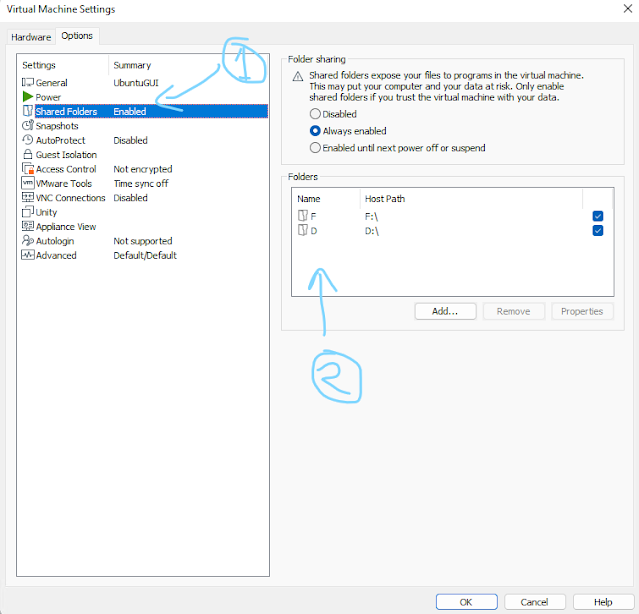
Make sure you have enabled the shared folder in vmware settings as follows:

Vmware ubuntu shared folder

Run following command on terminal:

sudo mkdir -p /mnt/hgfs/
sudo /usr/bin/vmhgfs-fuse .host:/ /mnt/hgfs/ -o subtype=vmhgfs-fuse,allow_other

Open /etc/fstab 

sudo vim /etc/fstab


Add following line at end of the file(Be carefull while modifying system files, always create a backup copy before modifying it)

vmhgfs-fuse   /mnt/hgfs    fuse    defaults,allow_other    0    0

Then run command 

sudo mount -a


For more detils you can visit: 


Featured Posts

Kali Linux Remote Desktop: Access GNOME from Windows Using Native RDP

  Kali Linux + GNOME 50 + GNOME Remote Desktop + Windows Remote Desktop (MSTSC) Getting a full GNOME desktop remotely on Kali Linux can be ...